Send Email

Overview
The Send Email component sends one or more outbound emails from Flow using Salesforce’s Messaging.SingleEmailMessage.
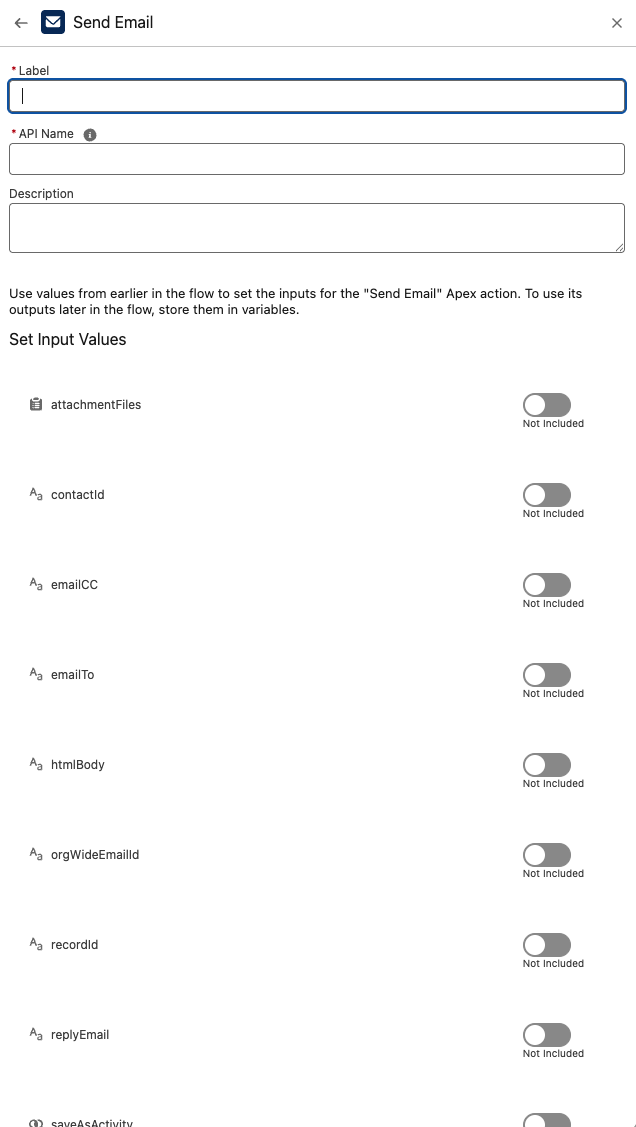
It supports Org-Wide Email Addresses, reply-to, Contact targeting (for template merges), plain text / HTML bodies, email templates, and file attachments.
Inputs
Provide a collection of requests when you want to send multiple emails in one step; each request produces one result.
-
emailTo (Optional)
Comma-separated list of recipient email addresses (e.g.,[email protected],[email protected]).- Used only if
contactIdis not provided.
- Used only if
-
emailCC (Optional)
Comma-separated list of CC addresses. -
subject (Optional)
Email subject. Defaults to “No subject provided.” if blank. -
orgWideEmailId (Optional)
Id of an Org-Wide Email Address to send from. -
senderDisplayName (Optional)
Friendly display name for the sender. -
replyEmail (Optional)
Sets the Reply-To address. -
recordId (Optional)
Sets WhatId for the email (the related record for logging/merge contexts). -
contactId (Optional)
Sets TargetObjectId (a Contact Id).- When set, Salesforce uses the Contact’s email address.
- Required for most template merge use cases.
-
textBody (Optional)
Plain-text body. -
htmlBody (Optional)
HTML body (if provided, HTML is used). -
templateId (Optional)
Id of an Email Template to use.- For merge fields to resolve, you typically must provide contactId (TargetObjectId).
recordIdcan be used as WhatId for related-record merges.
-
attachmentFiles (Optional)
List of file attachments to include. Each item must have:Name— filename (e.g.,invoice.pdf)Body— file content as Base64 (converted to Blob in Apex)
-
saveAsActivity (Optional, Boolean)
If true, the email is saved as an Activity.
Outputs
For each request, a Results entry is returned:
- statusCode —
200on success;500when Salesforce reports send errors. - statusMessage — Success or error details (includes SendEmailError info when available).
Behavior & Notes
- If contactId is supplied, the component targets the Contact (enables template merges and uses Contact’s email). If not, recipients are taken from emailTo.
- If templateId is supplied, Salesforce will use the template body; you can still pass
textBody/htmlBodywhen needed (template has precedence for merges). - Attachments are added via
Messaging.EmailFileAttachmentfromattachmentFiles. - A Plinqx subscription check is performed before returning results.
Example Scenario – Sending Case Notifications to Customers
Scenario Overview:
A Salesforce org wants to automatically notify customers when their support case status changes. The email should use a Salesforce email template for personalization, send from an Org-Wide Email Address, and log the email as an Activity on the Case.
Implementation with Send Email Component:
Flow Setup for Case Updates:
Create a Salesforce flow triggered when a Case record is updated (e.g., when the Status field changes).
Adding Send Email Component:
Include the Send Email component in the flow to generate and send the notification.
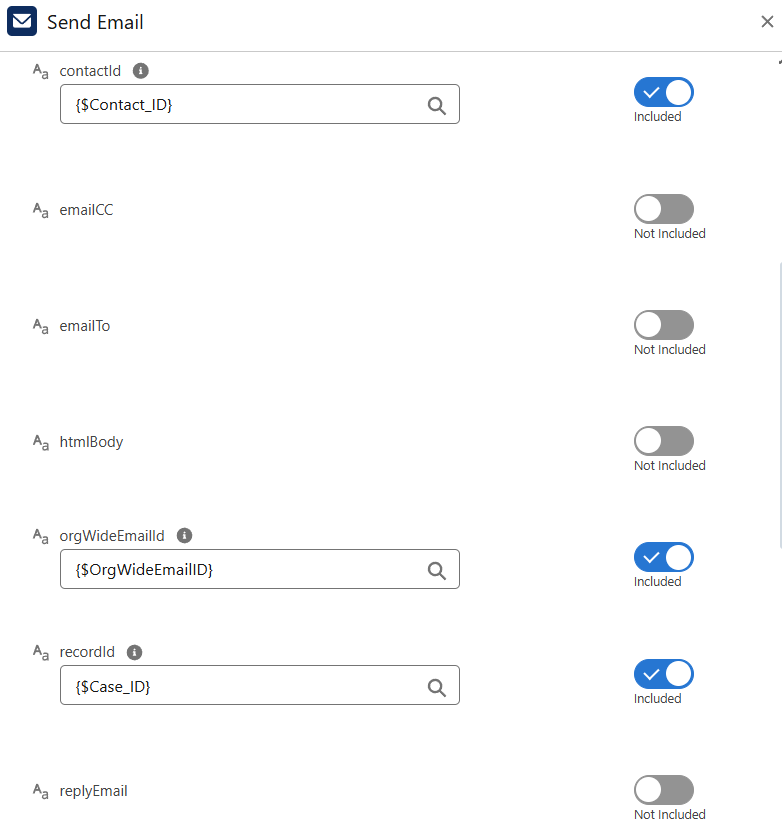
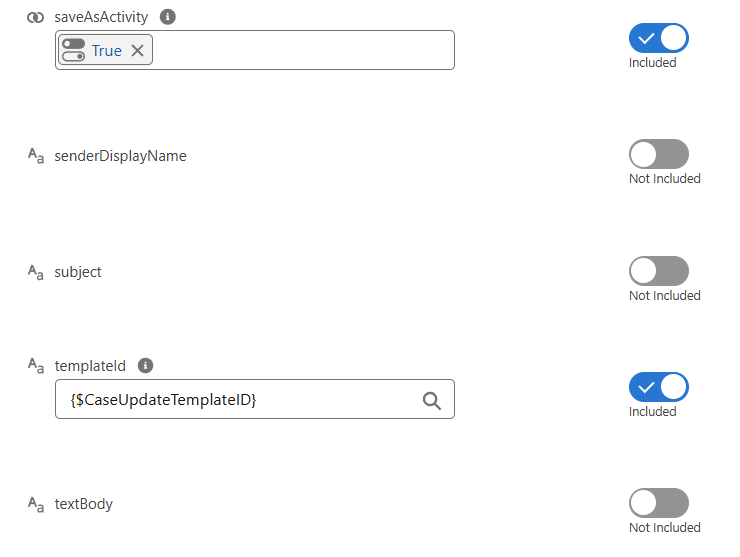
Configuring Input:
-
contactIdis set to the Contact associated with the Case. -
recordIdis set to the Case Id, so the email is logged against the record. -
templateIdis set to the Id of the prebuilt Case Update email template. -
orgWideEmailIdis set to the Id of the support Org-Wide Email Address. -
saveAsActivity = trueto record the outbound message in Salesforce.
Executing Send Email:
The component merges template fields with the Contact and Case data, sends the email using the Org-Wide Email Address, and stores it as an Activity.
Utilizing Results:
The component returns a response with:
-
statusCode = 200if the send succeeded. -
statusMessagedetailing the result (or error if applicable).
Flow can branch based on these results—for example, logging failures or retrying.
Troubleshooting
- Template merges not working → Ensure
contactId(TargetObjectId) is provided and the template supports the merge context. - Recipients ignored → When
contactIdis set, Salesforce uses the Contact’s email;emailTois ignored. - Attachments not appearing → Verify each attachment has Name and Base64 Body.
- Send errors → Check
statusMessageforSendEmailErrordetails (status code, message, fields).