JSON Property Remover

Overview
The JSON Property Remover component allows you to remove up to 10 specified properties from a JSON string within a Flow.
This is particularly useful when working with API responses or payload transformations where you need to strip out unnecessary or sensitive fields before further processing or sending the data to an external system.
The component supports nested JSON paths, including array elements, making it versatile for handling complex JSON structures.
Inputs
-
jsonStringToModify (Required)
The JSON string to modify.- Can be generated within Flow (e.g., Text Template) or received from an API.
-
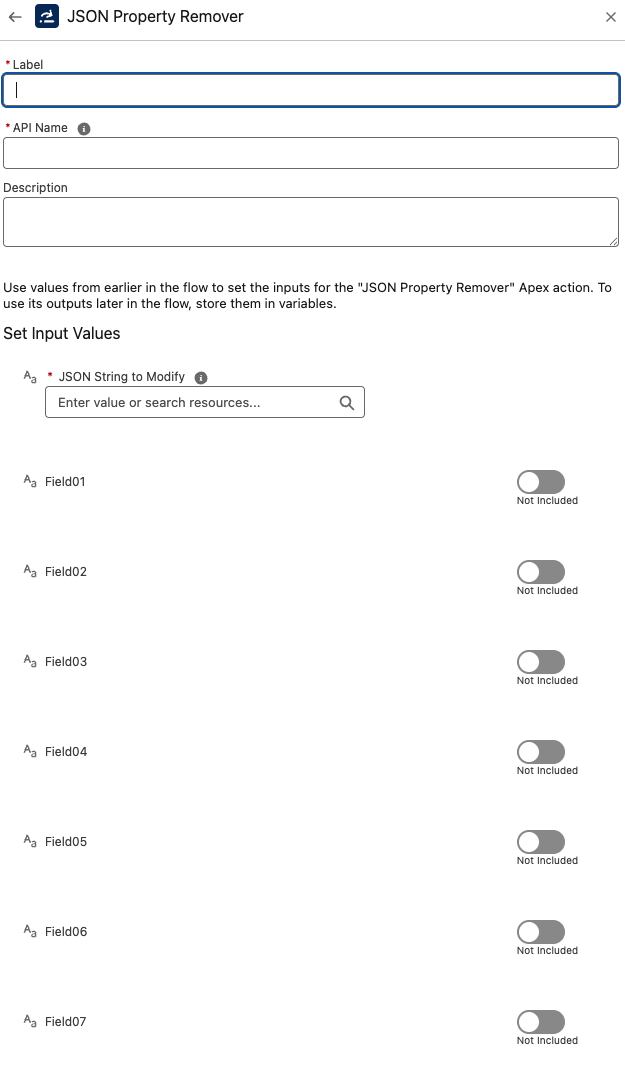
fieldName1 – fieldName10 (Optional)
Up to 10 JSON property paths to remove.- Supports dot notation for nested fields (
Account.Name) - Supports array index notation (
Contacts[0].Email) - If left blank, that input is ignored.
- Supports dot notation for nested fields (
Outputs
-
modifiedJson
The resulting JSON string after specified properties have been removed. -
success
A Boolean indicating whether the removal succeeded. -
message
A message describing the outcome (e.g.,"Properties removed successfully", or an error message if something went wrong).
Example Scenario – Strip Sensitive Fields
Scenario Overview:
A Salesforce org integrates with an external HR system that returns employee data in JSON format. The payload includes sensitive fields like Salary and NationalID that must not be stored in Salesforce for compliance reasons. Before converting the JSON into SObjects and performing an upsert, these sensitive fields should be stripped out.
Implementation with JSON Property Remover Component:
Flow Setup for Employee Data Integration:
-
Create a Salesforce Flow triggered when new employee data is received (e.g., via Platform Event or API call-in).
-
Store the raw JSON payload in a Flow variable (Text).
Adding JSON Property Remover Component:
-
Insert the JSON Property Remover component in the Flow before data transformation or upsert.
-
Provide the JSON string as
jsonStringToModify.
Configuring Input:
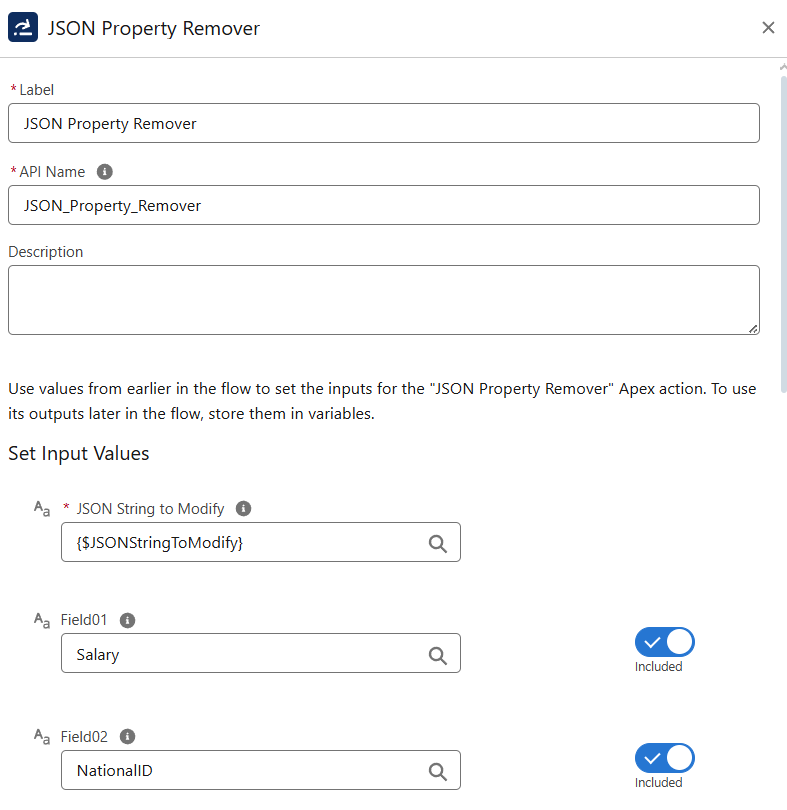
-
jsonStringToModifyis set to the incoming JSON payload. -
fieldName1is set toSalary. -
fieldName2is set toNationalID.
Sample Input:
{ "FirstName": "Alice", "LastName": "Brown", "Department": "Finance", "Salary": 95000, "NationalID": "ZX123456" }
Executing JSON Property Remover:
-
The component removes the
SalaryandNationalIDproperties. -
Returns a new JSON string without the sensitive fields.
Output:
{ "FirstName": "Alice", "LastName": "Brown", "Department": "Finance" }
-
success = true -
message = "Properties removed successfully"
Utilizing Results:
-
Pass the cleaned JSON into Convert JSON to SObject to transform into Salesforce records.
-
Proceed with Upsert Records to insert/update Employees in Salesforce.
-
Use
successandmessageoutputs for logging or error handling (e.g., branch the Flow if property removal fails).
Best Practices
- Use exact field paths (case-sensitive).
- Validate array indexes are within bounds (
Contacts[0]will fail if array is empty). - Chain with other JSON utilities (e.g., JSON to Collection, Convert JSON to SObject) for robust transformations.
- Always inspect
successandmessagefor errors before usingmodifiedJson.
Troubleshooting
- Invalid JSON path → The component throws an
InvalidJSONPathException. Check property name and path syntax. - Array index out of bounds → Ensure the array has enough items before referencing with
[n]. - Property not found → Error indicates the field doesn’t exist in the JSON. Verify exact spelling and casing.
- Unchanged output → If all fieldName inputs are blank, the JSON will be returned unchanged.