Filter SObjects

Overview
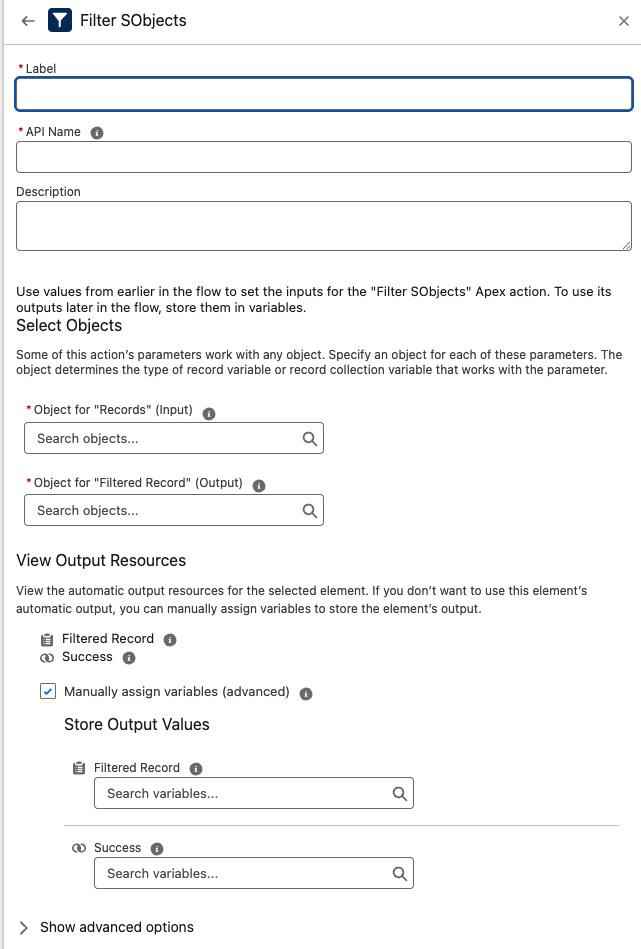
The Filter SObjects component filters a collection of Salesforce records by a specified field and value, and returns at most one matching record.
Unlike the standard Salesforce Flow Filter Collection feature, which outputs a collection and often requires a Loop to process records, this component returns a single record or null.
This significantly simplifies Flows and improves performance by eliminating the need for looping when you only need one match.
Inputs
-
records (Required)
A collection of SObjects to filter (e.g., Accounts, Opportunities, or custom object records). -
fieldName (Required)
The API Name of the field to filter by (e.g.,StageName,Status__c). -
fieldValue (Required)
The value to match against the specified field.- Comparison is done as a string equality check.
- Null values are ignored.
Outputs
-
success
A Boolean indicating whether any record matched the criteria. -
filteredRecord
The first record in the input collection that matchedfieldName = fieldValue.- If no match is found, this is
null.
- If no match is found, this is
Example Scenario – Select First Closed Opportunity
Scenario:
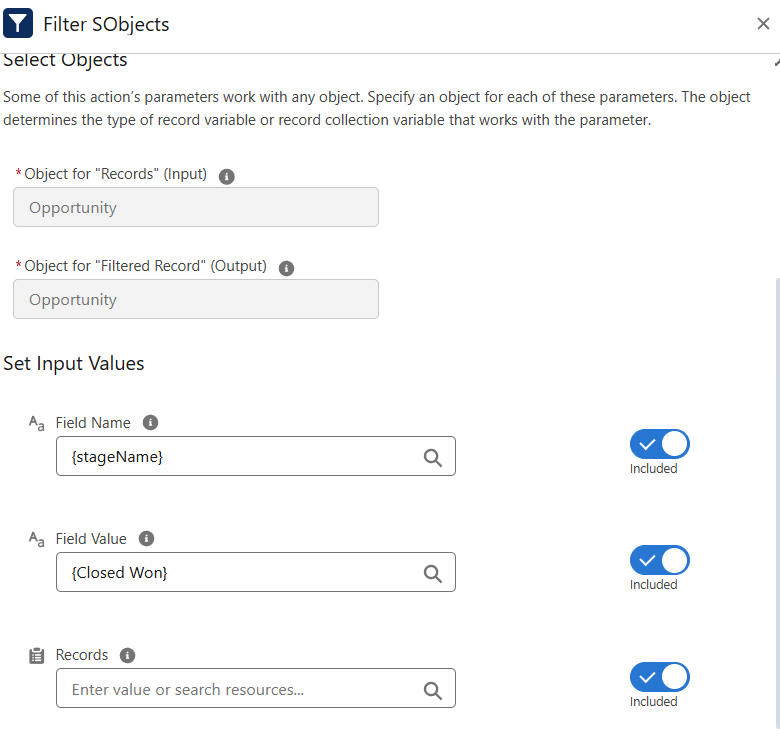
You have a collection of Opportunity records in Flow and need to retrieve a single Opportunity where StageName = Closed Won. With standard Flow, you’d need to Filter Collection and then Loop to grab the first match.
Implementation with Filter SObjects:
-
Input
records= Opportunity collectionfieldName=StageNamefieldValue=Closed Won
-
Execution
The component evaluates the records in the collection. -
Output
success=trueif a Closed Won record existsfilteredRecord= the first Opportunity withStageName = Closed Won
Results
- Simplifies Flow design by returning 1 record or null directly.
- Saves Flow elements and removes the need for a Loop just to pick one item.
- Provides a clean Boolean (
success) to easily branch logic (e.g., Decision element).
Best Practices
- Ensure the
fieldNamematches the API name exactly (case-sensitive). - Use this action when you only need one record. If you need multiple matches, use standard Flow collection filters.
- Be aware that comparison is string-based — ensure values are formatted consistently (e.g., date fields should be in the same string format).
Troubleshooting
- No match found:
success = false,filteredRecord = null. - Typo in field name: The component won’t find matches — confirm API names in Object Manager.
- Value mismatch: Check for exact string match; consider trimming spaces or consistent casing in Flow variables.