Inbound HTTP Service Flow
Available: Starter and Premium
Overview
This page documents the Plinqx HTTP Request Flow template and its two wrapper classes:
- InboundRequestWrapper — carries the inbound HTTP request into Flow (method, headers, body, query parameters etc.).
- RequestResponseWrapper — carries the HTTP response out of Flow (headers, body, status, statusCode).
The template is an Autolaunched Flow designed to receive a request, branch by HTTP Method, and return a response. It is provided as a starting point you can copy and adapt for your integrations.
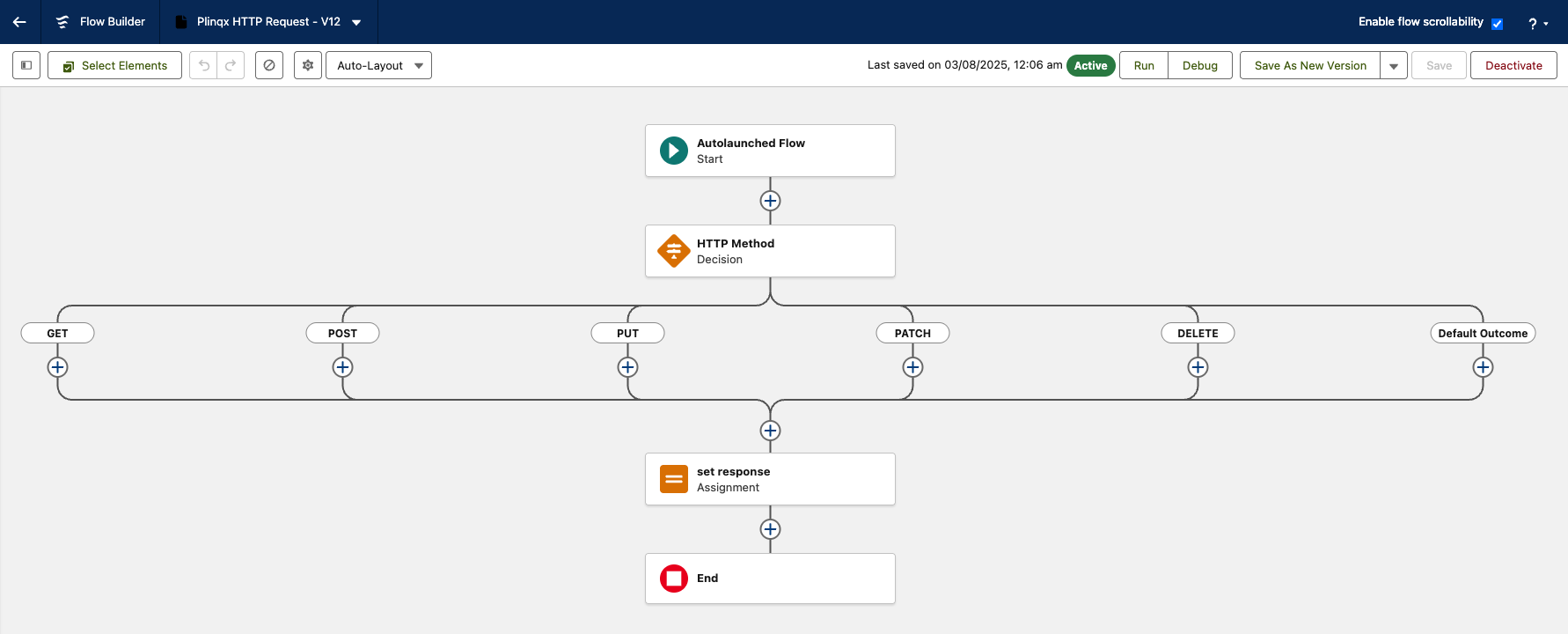
What’s in the template
-
Flow type: AutolaunchedFlow (i.e., no screen), marked as a template and active.
-
Decision: HTTP Method with outcomes for GET, POST, PUT, PATCH, DELETE (default falls through). The decision compares request.httpMethod to each method string.
-
Assignment: set response — An example on how to set the Response (Set these to handle your desired response pending on your requirements)
When to use this template
Use this Flow as your starting point when building an inbound HTTP integration that you want to handle in Flow.
How to implement
-
In Setup
Navigate to flows -
New Flow
Click the New Flow button -
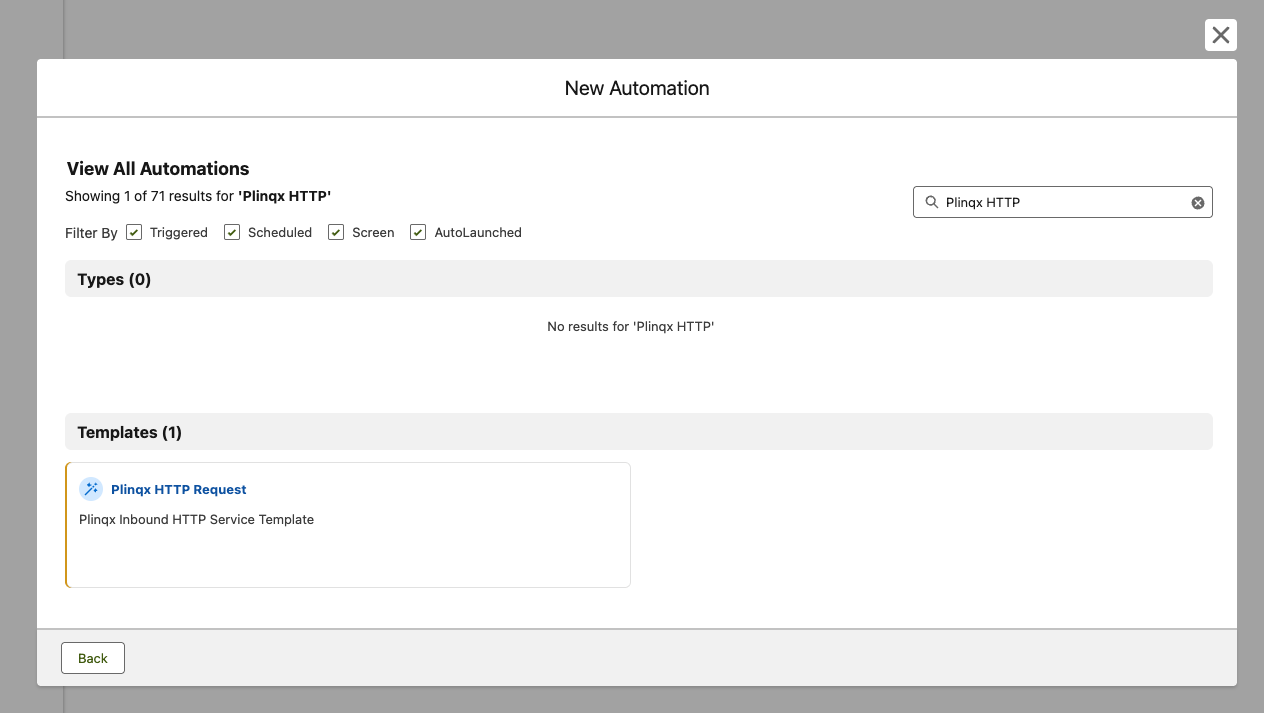
Select Template
In the New Automation screen search for the Plinqx HTTP Request template
-
Save
Click the Save button, set your flow Name and API name, be a good designer and add a description - click Save -
Build
Inside the HTTP Method decision branches, add your Transform, Assignment, Record operations, or Subflows. Refer to the Component-Library for a comprehensive list of Plinqx Flow Components. -
Set the response
Set theresponsevariable as this will inform external calling systems of any errors or provide them with the response on their request.At minimum, set:
response.statusCode(e.g.,200,400,500)response.status(e.g.,OK,Bad Request)response.headers(as needed)response.responseBodyJSON string - see Write JSON component for more information
-
Activate & expose
Activate your Flow and wire it up to your inbound mechanism - see Setting Up and Inbound Integration for more details
InboundRequestWrapper (request)
The wrapper provided to Flow encapsulates the inbound HTTP request. In this template you can see it provides at least:
- httpMethod — verb used in routing.
- headers — map/structure of request headers.
- requestBody — raw request payload (string) that can be parsed and read by the JSON Parser component.
Use these fields to validate, parse, and transform incoming data before constructing the response.
RequestResponseWrapper (response)
The wrapper you populate in Flow to control the HTTP response:
headers— response headers to return.responseBody— response payload (string).status— text status (e.g.,OK).statusCode— numeric code (e.g.,200). See this link for a list of industry standard HTTP Error/Success codes
Your integration entry-point should serialise these values into the actual HTTP response.
Example customisation ideas
- Validate method & body: Reject unexpected methods with 405 and a helpful message. The Schema Validation component can assist with validating the request body.
- JSON transform: Parse requestBody, enrich or map fields, and return transformed JSON in responseBody - see JSON Transform component for more details.
- Auth / signature checks: Inspect headers to verify inbound signatures before processing.
- Branching by path: Add a request path field to the wrapper and extend the decision logic accordingly.
Next steps
- Pair with Plinqx data transformation actions to shape the payload before responding.
- Reference the comprehensive Plinqx Component Library to build your required logic
- Utilise STEP Orchestrator if the inbound request should kick off a long-running multi-step process.
- Add unit tests for any Apex that hosts or enriches the Flow I/O.